
A beautiful christmas tree background can instantly bring a festive feeling to your holiday projects, photos, wallpapers, and seasonal designs. From warm glowing lights and snowy Christmas scenes to soft pink decorations and elegant minimalist styles, the right background can create the exact mood you want. Below, you’ll find 15 beautiful Christmas tree background styles, along with simple tips for choosing, using, and creating a background that looks festive without feeling too busy.
Quick Answer:
A good Christmas tree background combines a clear focal point, balanced lighting, and the correct image size for your device. For desktops, 1920×1080 works well, while 1080×1920 suits most phones. Choose cozy indoor scenes, snowy landscapes, pink decorations, or minimalist trees based on your preferred holiday mood.
1. Cozy Living Room Christmas Tree Background
A warm living-room scene is one of the easiest choices when you want your screen to feel festive without looking overly busy. Picture a 7-foot evergreen beside a fireplace, with warm white lights, wrapped gifts, and a soft knitted blanket nearby.
This style works especially well for desktop monitors because the wider composition can show the entire tree while leaving darker or simpler areas for desktop icons. A 1920×1080 image gives you plenty of horizontal space.
For an especially welcoming look, choose:
- Warm white string lights
- Red or gold ornaments
- A fireplace or softly lit window
- Three to five wrapped presents beneath the tree
The result feels like a quiet Christmas morning rather than a commercial holiday display.
2. Christmas Tree Background Aesthetic With Soft Bokeh
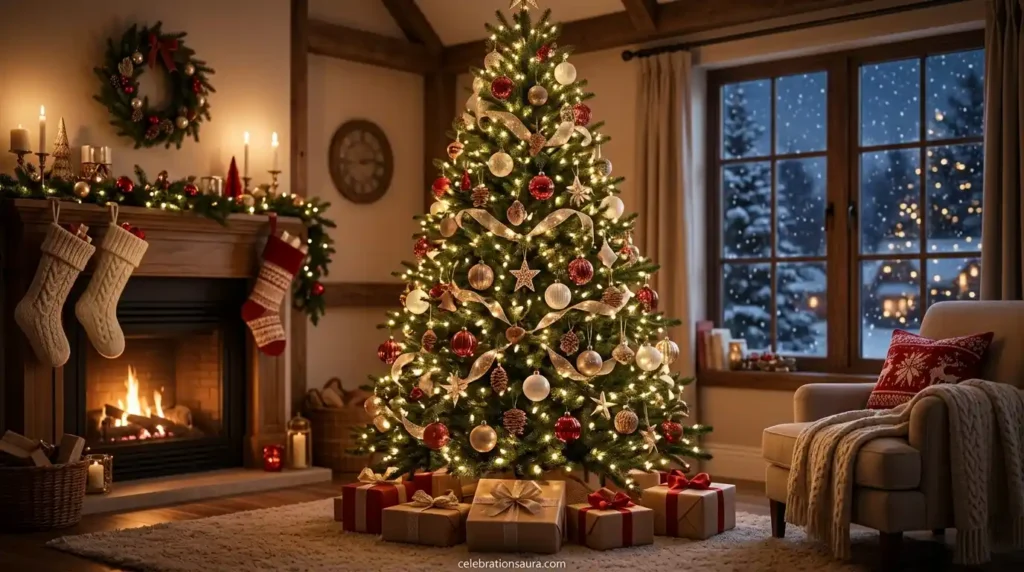
If you prefer a dreamy look, a christmas tree background aesthetic built around blurred lights can make your screen feel softer and more elegant. Instead of showing every ornament clearly, the image uses shallow focus to turn lights into glowing circles.
This style is especially effective when the tree occupies one side of the image. The darker opposite side provides natural negative space for icons, widgets, or text.
Look for images with:
- Warm gold or champagne lights
- Soft green branches
- Gentle background blur
- One clear focal ornament
Close-up ornament photography and glowing bokeh are already common among current Christmas background collections, making this a useful style rather than an arbitrary variation.
3. Snowy Outdoor Christmas Tree Background
A snow-covered evergreen creates a completely different mood from an indoor tree. Instead of warmth and fireplaces, you get crisp winter air, white snow, dark green branches, and a quiet forest or village setting.
This works particularly well if your holiday décor leans toward a natural or rustic style. A wide 1920×1080 scene can show the tree, surrounding snow, and enough sky to create breathing room.
For the strongest winter effect, choose a scene with:
- Fresh snow on branches
- Soft falling snowflakes
- A pale blue or gray sky
- Warm lights visible in the distance
Snow-covered outdoor trees are also a recurring category in current Christmas wallpaper collections.
4. Pink Christmas Tree Background
A pink christmas tree background is a fun alternative to the traditional red-and-green palette. Pink trees paired with blush ornaments, ribbons, gold details, and soft lighting create a playful aesthetic that works particularly well for phones and social graphics.
For a polished result, stay within two or three main colors. For example, combine blush pink, cream, and gold rather than adding six competing shades.
This style is especially suitable for:
- Phone lock screens
- Pinterest-style graphics
- Holiday invitations
- Feminine Christmas décor inspiration
- Social media posts
Current wallpaper collections show pink Christmas trees, pink-and-gold ornaments, and pastel Christmas phone backgrounds as established visual variations.
5. Elegant White Christmas Tree Background
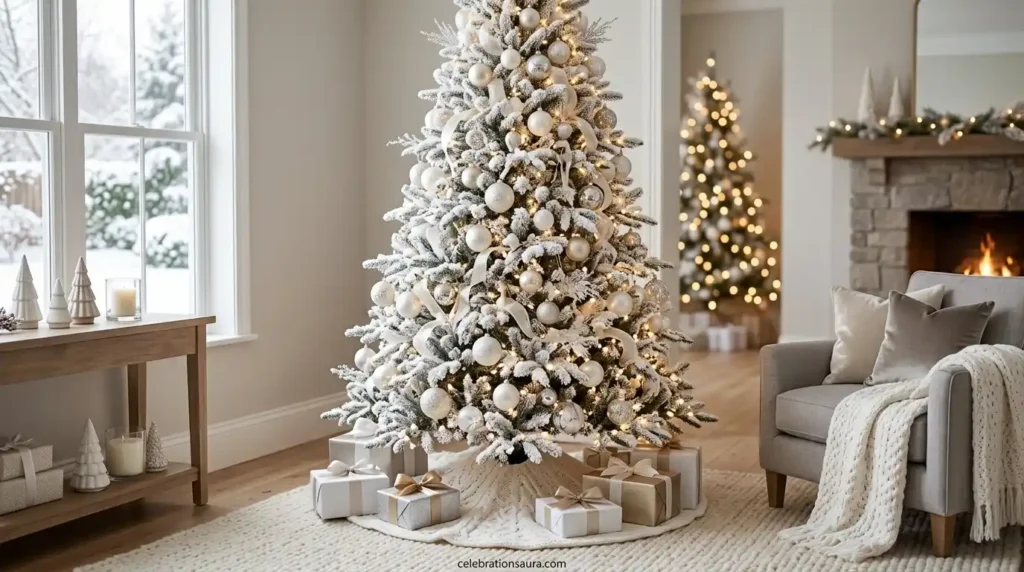
A white or frosted tree creates a clean appearance without losing the holiday feeling. Pair it with silver ornaments, champagne ribbons, warm lights, and a neutral beige room for a sophisticated winter look.
This option is ideal when you want your background to remain useful beyond December 25. A simple white tree with soft golden lights can look festive while still feeling uncluttered.
For a polished composition, keep the decoration count moderate. Around 30–50 visible ornaments on a medium-sized tree can provide detail without making the image visually noisy.
Minimalist white Christmas trees are already featured among current wallpaper collections, particularly for modern and professional settings.
6. Christmas Tree With Wrapped Gifts
If you want the image to immediately communicate Christmas morning, place colorful presents beneath the tree. Red ribbons, kraft-paper packages, velvet bows, and a few gift tags add visual detail without requiring additional decorations.
A good composition might show 6–10 wrapped gifts around the tree base while keeping the upper half of the image relatively simple.
This style works well for:
- Holiday gift guides
- Christmas blog graphics
- Online shop promotions
- Desktop backgrounds
- Social media designs
Current Christmas background collections specifically use wrapped presents under trees for holiday promotions and greeting visuals.
7. Christmas Tree Background With a Dark Night Scene
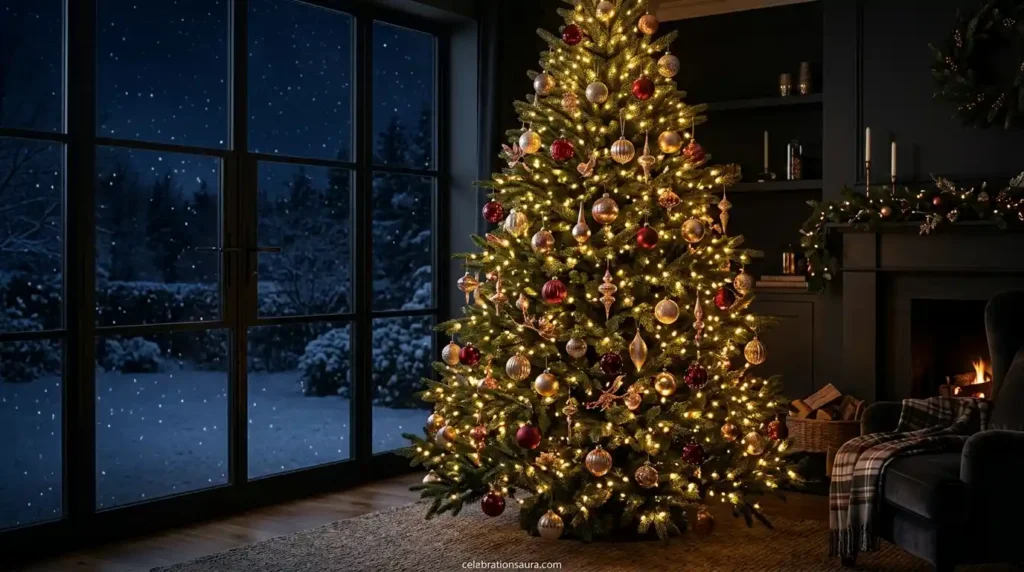
A nighttime tree can look dramatically different from a bright daytime image. Deep green branches, warm golden lights, and a dark blue window create strong contrast that makes every light stand out.
This is a particularly good choice for people who prefer dark wallpapers. The darker areas also make desktop icons easier to distinguish.
For the best balance, avoid making the entire image black. A little window light, fireplace glow, or reflected illumination keeps the scene detailed instead of flat.
A dark background with approximately 60–70% darker tones and concentrated warm lighting around the tree can create a cinematic holiday mood.
8. Christmas Tree Background Images for Phones
The best christmas tree background images for phones need a different composition from desktop wallpapers. A vertical 1080×1920 image gives the tree enough height while leaving room for the clock and app icons.
Avoid placing the brightest ornament or star directly at the very top because phone interfaces can cover that area. Instead, keep the main visual focus around the middle two-thirds of the image.
Good phone-friendly choices include:
- Tall decorated trees
- Close-up ornaments
- Pink Christmas trees
- Snowy vertical forests
- Tree lights with soft bokeh
Current background tools and collections specifically offer mobile-oriented Christmas designs, often using vertical formats around 1080×1920.
9. Wallpaper Christmas Tree Background for a Desktop
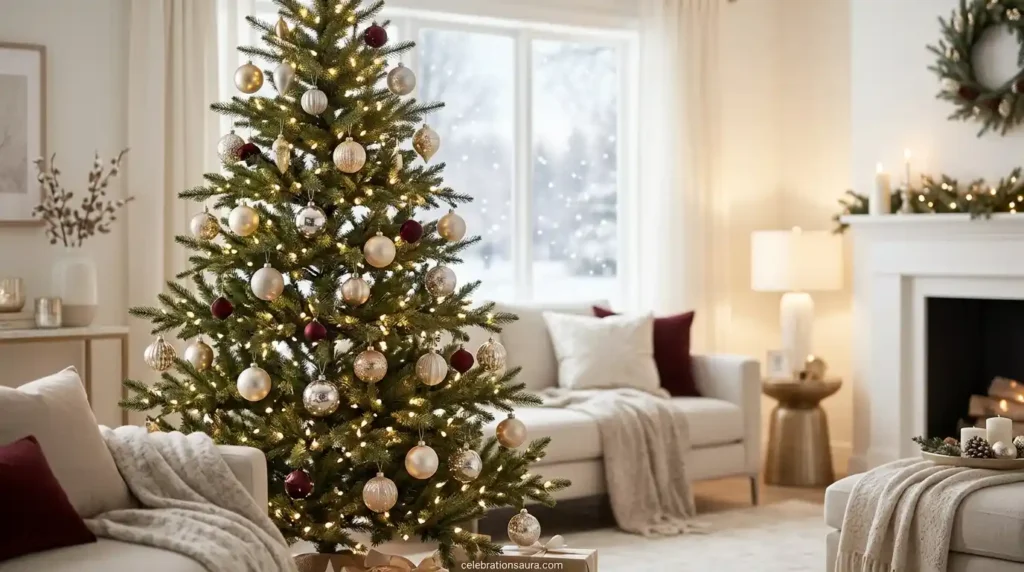
A wallpaper christmas tree background should give your desktop enough negative space for folders and shortcuts. A beautiful tree that fills every corner may look impressive as a photo but become frustrating when icons sit on top of it.
For most standard widescreen monitors, start with 1920×1080. If you use a larger or ultrawide display, a wider image may be more appropriate.
Use this simple layout rule:
| Background style | Best use | Helpful format |
|---|---|---|
| Wide living room | Desktop | 1920×1080 |
| Tall tree close-up | Phone | 1080×1920 |
| Minimal white tree | Work computer | 1920×1080 |
| Pink decorative tree | Phone/social | 1080×1920 |
| Snowy landscape | Large monitor | 1920×1080 or wider |
Current wallpaper collections also distinguish desktop, mobile, and ultrawide formats, which reinforces the importance of choosing the image according to the screen rather than using one crop everywhere.
10. Christmas Tree Beside a Frosted Window
A frosted window can make a tree background feel intimate and wintry without requiring a huge outdoor landscape. Imagine a decorated tree beside glass covered with delicate frost, with warm lights reflecting softly across the window.
This composition is especially attractive when the tree occupies one-third of the frame and the window fills the rest.
Add approximately 10–20 visible light reflections rather than covering the whole window with decorations. That keeps the image calm and gives the tree room to stand out.
This style can also work beautifully as a holiday photo backdrop because the soft window area provides visual separation around a person or object.
11. Rustic Cabin Christmas Tree Background
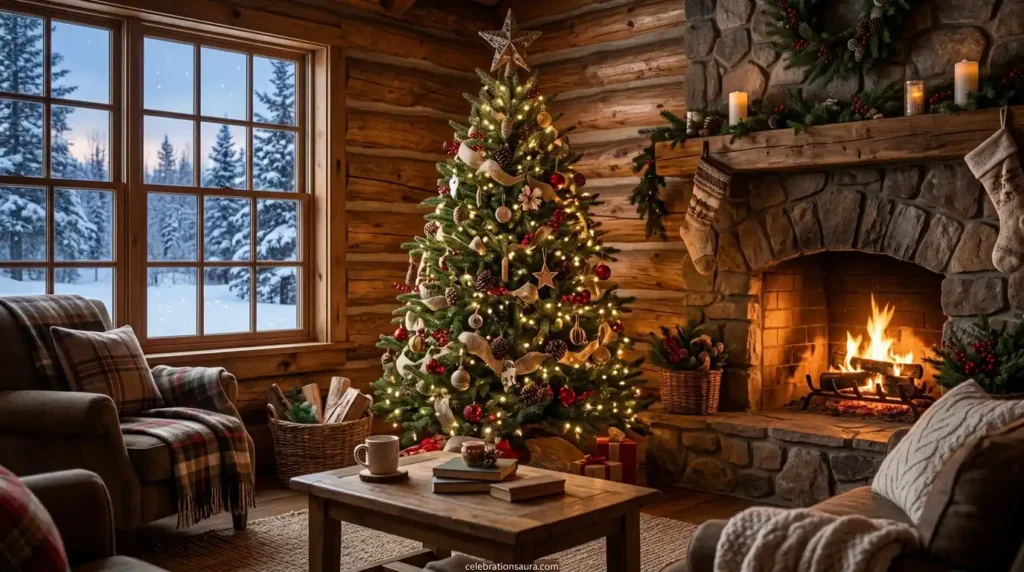
A rustic cabin setting gives the image a natural, nostalgic feeling. Think of a small evergreen tree, wooden walls, a stone fireplace, pine branches, wool blankets, and warm amber lighting.
This style works particularly well for people who prefer traditional Christmas décor over highly polished modern interiors.
Keep the palette simple: approximately three dominant colors such as dark green, brown, and warm cream are enough. Add a few red ornaments for contrast if you want a more traditional holiday appearance.
12. Pink and Gold Christmas Tree Background
A pink tree can become more sophisticated when gold replaces some of the brighter pastel accents. Combine blush ornaments with champagne ribbon, warm fairy lights, and a cream or pale pink wall.
The trick is to avoid making every element pink. Let gold provide contrast so the tree remains detailed rather than blending into its surroundings.
This style is especially effective for phone wallpapers and holiday social graphics because the palette remains recognizable even on a smaller screen. Current wallpaper results show pink-and-gold and pastel Christmas designs among available Christmas imagery.
13. Close-Up Christmas Tree Ornament Background
You do not always need the entire tree. A close-up photograph of three or four ornaments can create a more artistic background while still making the Christmas theme immediately recognizable.
Choose ornaments with different textures, such as glass, velvet, metallic finishes, or glitter. A shallow depth of field can blur the branches and lights behind them.
This is a particularly useful style for:
- Blog header images
- Christmas cards
- Social graphics
- Product photography
- Desktop backgrounds with open text space
Close-up ornament scenes are specifically featured in current Christmas wallpaper collections because they provide detail without requiring a full-room composition.
14. How to Draw a Christmas Tree Background
If you want to make your own rather than download a photograph, start with a simple three-layer composition. Draw the tree in the foreground, add a soft winter scene behind it, then finish with lights or snow.
For a beginner-friendly version, use:
- A vertical triangle or layered evergreen shape for the tree.
- A pale blue, cream, or warm beige background.
- Five to 10 simple ornaments.
- A small star or bow at the top.
- Short curved lines for snow or light effects.
For a child-friendly craft, an A4 sheet, colored pencils, and two or three green shades are enough. A simple Christmas tree drawing can also use a warm background with contrasting decorative lines, a technique seen in classroom art examples.
15. Create a Custom Christmas Tree Background With AI
Making a custom background is useful when you need a specific size, color palette, or empty area for text. AI background tools now support prompts for snowy trees, cozy interiors, phone wallpapers, and other Christmas scenes.
For example, request a 16:9 cozy living room with a 7-foot tree positioned on the right, warm white lights, wrapped gifts, soft evening light, and an uncluttered left side.
Before using an AI-generated image, check three things: the tree decorations should look realistic, the composition should fit your device, and there should be no unwanted text or distorted objects.
What Is the Background of Christmas Tree Imagery?
The visual background of the Christmas tree is closely connected with older evergreen traditions and later Christmas customs that developed in Europe. Evergreen branches were valued during winter because they remained green when many other plants appeared dormant.
The modern decorated Christmas tree became particularly established in European Christmas traditions before spreading widely in the United States. Today, the visual language has expanded far beyond one traditional style to include snowy landscapes, minimalist trees, pink décor, bokeh lights, and modern digital wallpapers.
So, if you are asking about the “background” as in history, the answer is different from asking for a digital wallpaper. For an image search, “background” usually means the visual scene behind or surrounding the Christmas tree.
What Makes a Christmas Tree Background Look Aesthetic?
An aesthetic Christmas background usually has a controlled color palette, clear focal point, balanced lighting, and enough negative space. Using two or three dominant colors is often more effective than combining every traditional Christmas shade.
Lighting matters just as much. Warm white lights create a cozy appearance, while cool white or blue lighting gives the scene a cleaner winter feeling.
Most importantly, match the composition to the purpose. A busy image can work for a holiday poster, while a simpler scene is usually better for a phone or desktop wallpaper.
What Size Should a Christmas Tree Background Be?
For a standard desktop, 1920×1080 pixels is a practical starting point. For a phone, 1080×1920 is commonly suitable, while larger monitors may benefit from higher-resolution or ultrawide files.
The important point is to avoid stretching a small image across a large screen. If you enlarge a low-resolution background too much, ornaments and light details can become visibly soft.
Before downloading or creating an image, check the screen orientation and resolution. A correctly sized background will look cleaner and require less cropping.
How Do You Choose Between a Photo and an AI Background?
Choose a real photograph when you want natural textures, authentic lighting, and realistic ornaments. Choose an AI-created background when you need a very specific composition, such as a pink tree on the right side with empty space on the left.
For a personal desktop, either option can work. For a website, however, also check licensing, image quality, and whether you have permission to publish the asset.
If you create a custom image yourself, you can control the exact dimensions and placement of the tree instead of trying to crop an existing photograph.
Common Christmas Background Mistakes to Avoid
The biggest mistake is choosing an image based only on how attractive it looks in a preview. A background can be beautiful but unusable if icons disappear into the branches or the main subject is cropped after setting it as wallpaper.
Avoid these problems:
- Using a portrait image on a widescreen monitor
- Placing the tree directly behind dozens of desktop icons
- Choosing very low-resolution images
- Using too many competing colors
- Adding text that becomes unreadable after cropping
- Ignoring licensing when publishing an image online
A 30-second preview on your actual device can reveal problems that are invisible when viewing the image on a website.
Which Christmas Tree Background Style Fits Your Budget?
You do not need to spend money to get a good holiday background. Free image libraries and background-making tools provide plenty of options, while paid downloads can make sense when you need premium photography or commercial-use rights.
For a simple personal wallpaper, a $0 option is usually enough. If you are creating professional graphics, spending around $5–$20 on a licensed image or design can provide higher resolution and clearer usage rights.
For larger commercial projects, check the exact license before publishing. “Free to download” does not automatically mean “free for every commercial use.”
Final Thoughts
The right christmas tree background can make any holiday project feel warmer, more festive, and more personal. Whether you love glowing lights, snowy scenery, elegant white trees, soft pink décor, or rustic Christmas charm, there is a style to match your mood.
Choose a background that fits your space, colors, and overall Christmas aesthetic without looking too crowded. A thoughtful image can add just the right festive touch to your wallpaper, photos, social posts, or seasonal designs.
Explore your favorite style from these ideas, save the one that catches your eye, and give your Christmas visuals a beautiful holiday atmosphere.
FAQs
A 1920×1080 landscape scene with a tree positioned slightly to one side is a strong desktop choice. It leaves enough open space for icons while keeping the tree visible.
A vertical 1080×1920 image works well for most phones. Choose a tall tree, close-up ornament scene, or centered composition that leaves the top area relatively uncluttered.
Yes, but you should check the image license before publishing it. A free download does not necessarily give you permission to use the image commercially.
Yes, pink Christmas imagery appears across current wallpaper collections, including pastel, pink-and-gold, and pink ornament designs.
A real photo is useful when you want authentic lighting and textures, while AI generation is useful when you need a specific layout, color scheme, or screen size. Current AI tools support custom Christmas background creation from text prompts.
Discover More
Elegant Christmas Tree: 21 Classy Decorating Ideas for 2026
Crochet Christmas Ornaments: 25+ Handmade Ideas for Your Tree
How to Fluff a Christmas Tree for a Full, Realistic Look
Christmas Decoration Ideas: Trees, Displays and When to Take Them Down

Pingback: Snoopy Christmas Decorations: 20+ Unique Home Ideas